Find every AI tool touching your company’s data.
AI Sonar finds the AI apps, Copilot use and AI websites across your Microsoft 365 organisation, scores the risk of each, and tells you what to fix first. It runs on your own server and never changes anything in your tenant.
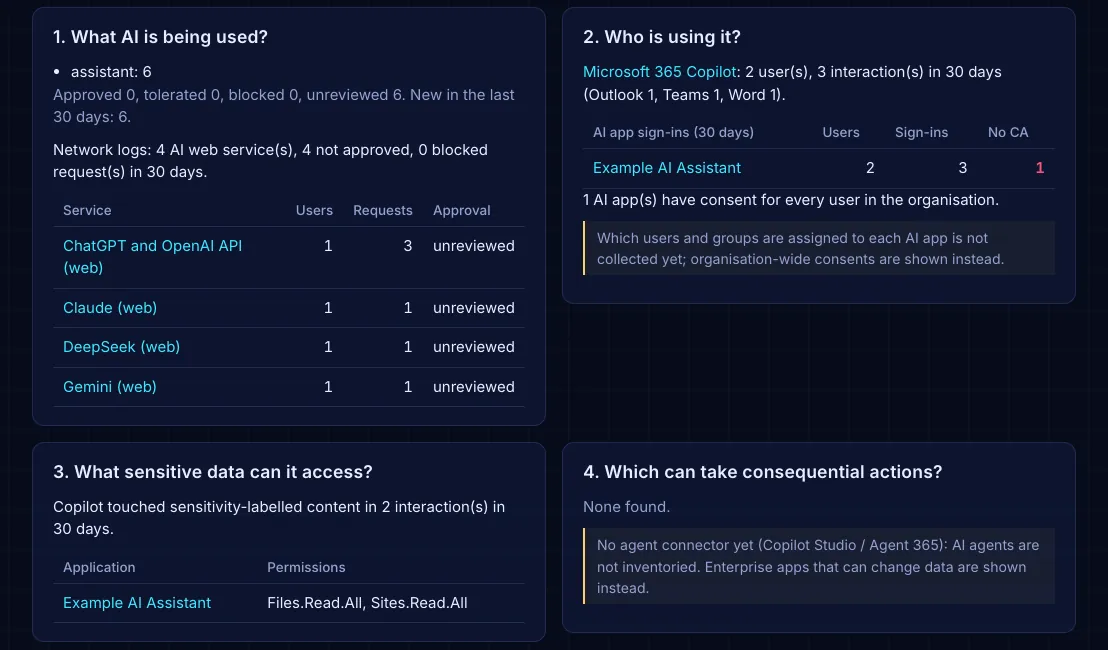
The questions your board will ask about AI, answered with evidence.
Every answer links back to the records it comes from, and says plainly when a source is missing instead of showing a reassuring zero.
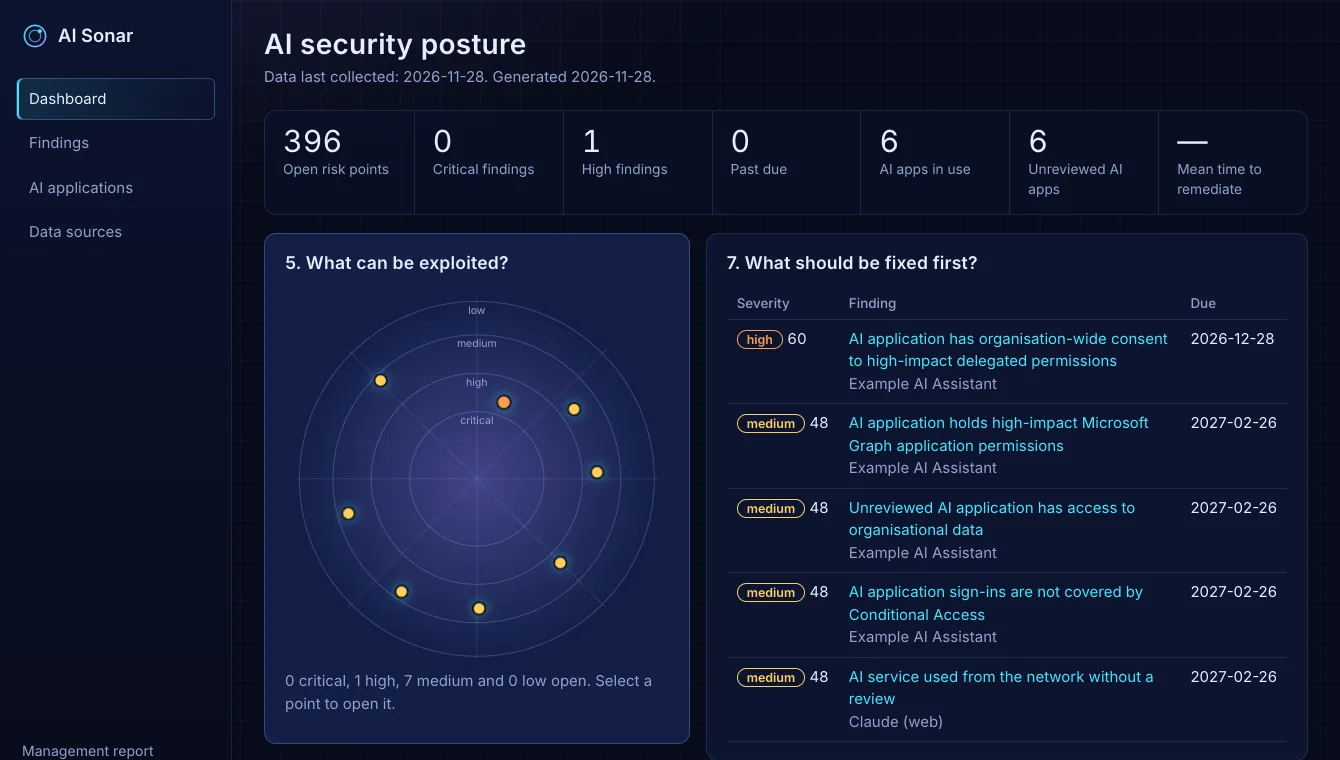
One screen for the whole AI picture.
Open risk, what to fix first and how exposed you are, on a posture radar where every point is a finding you can open.
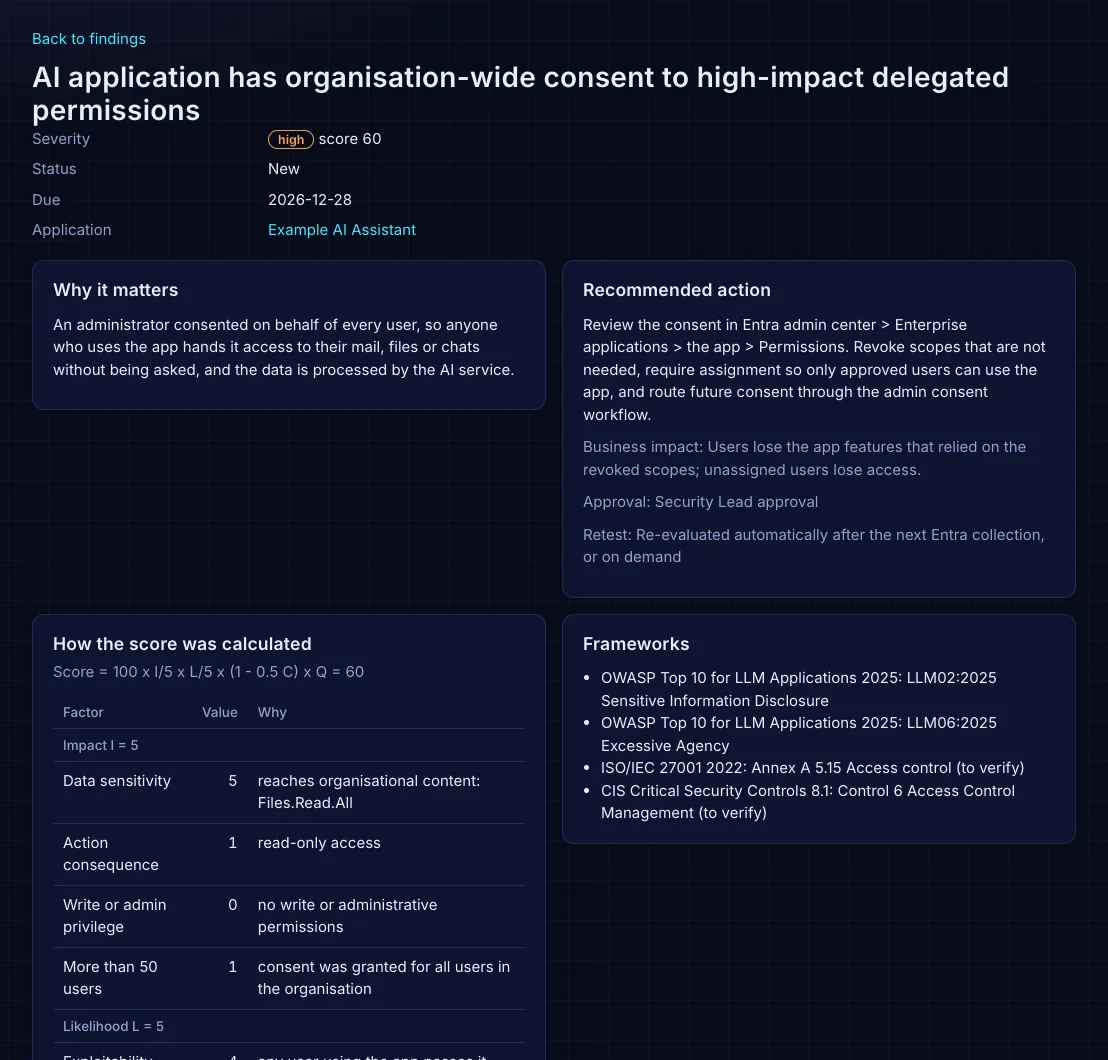
Every risk score shows its working.
No black-box ratings. Each finding shows how its score was reached, factor by factor, and what fixing it will change for your users.
- A documented formula: impact, likelihood, controls and confidence, each with the reason behind its value.
- The evidence: the exact records from Microsoft or your logs that raised the finding.
- A practical fix: what to change, who must approve it, and what it could break.
- Accountable decisions: owners, due dates and time-limited risk exceptions that someone else must approve.
From install to first findings in one sitting.
Install
Run one installer on a Windows server or PC. Python and everything else is included.
Connect
Grant read-only Microsoft permissions and point AI Sonar at your exported proxy or firewall logs.
Discover
It inventories AI apps, Copilot use and AI websites, recording how it knows each fact.
Prioritise
Findings are scored and ranked, so the riskiest exposure is at the top of the list.
Prove
Decisions, fixes and exceptions are logged in a tamper-evident audit trail and a management report.
Built to the standard of the security team that runs it.
- Read-only in your tenant
- AI Sonar asks Microsoft only for read permissions. It cannot change users, apps or settings; you make every change yourself.
- Your data stays with you
- It runs on your own server with your own database. Nothing is sent to us, and secrets can live in Azure Key Vault.
- Privacy by design
- From network logs it keeps only AI traffic and discards everything else unread. People are pseudonymised by default.
- Evidence you can defend
- A tamper-evident audit log records every decision. Separation of duties stops anyone approving their own exception.
- Hardened by default
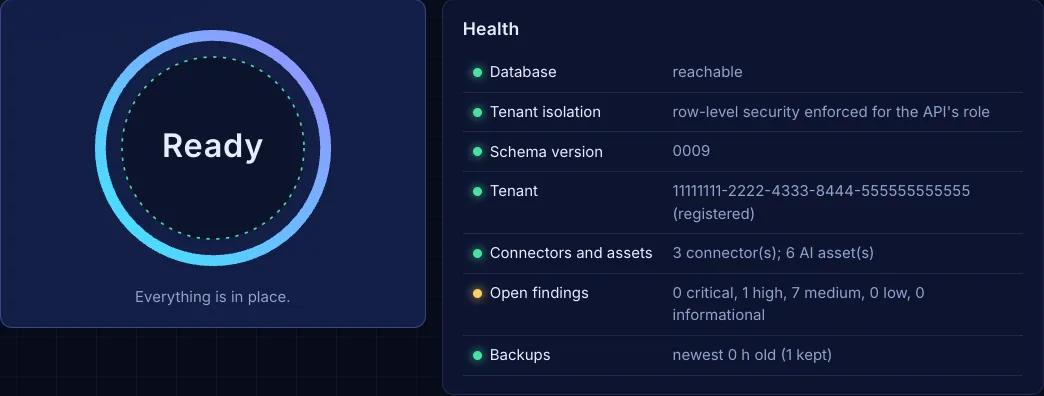
- Strict tenant isolation in the database, HTTPS enforced in production, Microsoft sign-in with roles, and a production readiness check.
- Operable for years
- Verified backups and restore, retention rules, health checks for your monitoring, and upgrades that back up before they change anything.
Works with what you already have.
| Source | What you see | What it needs |
|---|---|---|
| Microsoft Entra ID | AI apps in your tenant, their permissions and organisation-wide consents; who signs in to them and whether Conditional Access applied | Read-only Graph permissions; Entra ID P1 for sign-in data (included in Microsoft 365 Business Premium) |
| Microsoft 365 Copilot | Who uses Copilot, in which apps, and how often it touched sensitivity-labelled content | Microsoft Purview audit, read through a read-only Graph permission |
| Network logs | AI websites people use without approval (ChatGPT, Claude, Gemini, DeepSeek and more), how much data was sent, what your firewall blocked | A CSV or JSON export from your proxy, firewall or DNS service |
| Claude for business Planned | Your organisation’s Claude use and settings | Anthropic’s organisation APIs |
Runs on your Windows server.
- One installer for Windows 10, 11 and Windows Server, with Python included.
- A Control Center to set up the database and Microsoft sign-in, start the service and run tasks.
- Safe upgrades: the database is backed up before anything changes.
- Unattended installs for Intune, SCCM or your own scripts.
- Microsoft sign-in for your team, with roles from Security Lead to Auditor.
Questions buyers ask us.
Can AI Sonar change anything in our Microsoft 365 tenant?
No. It requests read-only permissions only, which you can confirm in the Entra admin center. When AI Sonar recommends blocking an app, you make that change yourself.
Does any of our data leave our network?
No data is sent to us. AI Sonar runs on your server and stores everything in your PostgreSQL database. It talks only to Microsoft’s own services to read your data.
What do we need to run it?
A Windows 10/11 machine or Windows Server, PostgreSQL 16 (on the same machine or elsewhere), and Microsoft 365. Sign-in data needs Entra ID P1, which Business Premium includes.
How does it treat employees’ privacy?
From network logs it keeps only traffic to known AI services and discards the rest unread. People appear as pseudonymous codes by default; only whoever holds the key, typically your privacy officer, can link a code to a name.
We already have Microsoft security tools. Why this?
AI Sonar brings AI apps in Entra, Copilot use and AI use seen on your network into one inventory with explained risk scores, an approval workflow and a board-ready report, focused entirely on AI.
Can we try it on our own tenant first?
Yes. Ask us for a pilot: we help you install it, connect your tenant and review the first findings together.
See your own AI picture in a pilot.
We install AI Sonar with you, connect your Microsoft 365 tenant read-only, and walk through the first findings together.
AI Sonar is a product of Innogen Technologies. Microsoft 365, Microsoft Entra, Microsoft Copilot and Microsoft Purview are trademarks of the Microsoft group of companies. Other product names are trademarks of their respective owners.